Telehealth Designed for How SLPs Work.
Integrated video, split-screen charting, and real-time session saving. Deliver exceptional care from anywhere without compromising on documentation quality.
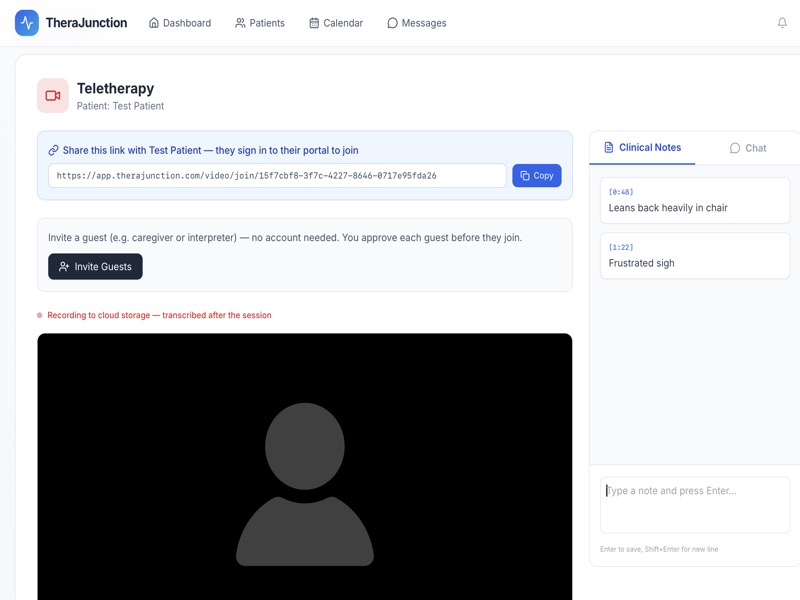
Integrated video, split-screen charting, and real-time session saving. Deliver exceptional care from anywhere without compromising on documentation quality.
No more toggling between Zoom and your EMR. TheraJunction brings the session and the documentation into a single, unified workspace.
View your live session on one side while TheraJunction's AI scribe actively captures and structures notes on the other.
Use our built-in secure video platform, or easily sync with your existing Zoom or Microsoft Teams accounts.
Interrupted connections happen. Our continuous cloud auto-saving ensures you never lose session data or transcription logs during a call.
Optimized for therapy on the go.
Whether you're at a desk, collaborating in-person with a client, or traveling between clinics, TheraJunction works where you do.